Online Photo Submission
Your Card, Your Photo!
______________________________________________________
All Students & Employees: Submit your ID Card photo online through the submission portal.
_________________________________________________________________________________
Online Photo Submission Deadline for Fall 2026: August 17th.
Non-Law Students: Submit your ID Photo by August 17th.
New incoming Fall Students for the 2026-2027 AY may not receive their ID Card until August 1, 2026.
Law Students: Submit your ID Photo by August 1st.
__________________________________________________________________________________
ONLINE SUBMISSION IS MANDATORY FOR ALL STUDENTS. Once submitted, your ID will be printed and ready for pick-up upon your arrival to campus.
Photo Submission Requirements:
- Photos must have a muted white or light gray background
- Face must be clearly visible and facing forward – no profile shots, dark glasses, hats, or large/wide headbands
- The entire face must be visible - the photo must not cut off at the forehead or chin
- Photo must be in color
- No Filters (Snapchat, Instagram, etc.) or Photoshop - photo must not have appearance editing
- No AI-generated photos, or photos with AI-editing or image modification
- Photos should not include other people or animals - no group photos
- No graduation caps, gowns, other regalia or costumes may be worn
- Photo brightness, contrast, and cropping must be reasonable - we can crop large photos
- Photos must be smaller than 4MB
- Photos can be changed upon request.
Sample Acceptable Photo

Sample Unacceptable Photos

Photo Submission Instructions
-
For Students
Once you have paid your admissions deposit, follow these simple steps to submit your photo or to request a reprint of your ID Card:
- Log in to My4D
- Click on the three lines in the top left to Show Side Menu
- Scroll down to the Student Resources section and click Records and Requests
- In the Records and Other Actions Section, click the link Upload an ID Card Photo or Request a Reprint
- Follow the online instructions
- If you already have a photo present, you will be presented with the option to request a reprint of your ID Card.
-
For Employees
Once you have received your DU ID Number and login information for My4D: follow these simple steps to submit your photo or to request a reprint of your ID Card:
- Log in to My4D
- Click on the three lines in the top left to Show Side Menu
- Scroll down to the Employee Resources section and click My Resources
- In the Employee Information Section, click the link Upload an ID Card Photo or Request a Reprint
- Follow the online instructions
- If you already have a photo present, you will be presented with the option to request a reprint of your ID Card.
-
Mailing Option
If you are an online student or otherwise unable to visit our office, you may request to have your ID card mailed to you. Submit your request to have your ID mailed via email to pcard@du.edu.
Within your request, please include your:
- DU ID Number
- Date of birth
- The complete and accurate mailing address you would like us to send the card to.
Once we have all necessary information, our office can notify you of when the card has been sent out in the mail!
If you are having issues with the above instructions, try logging in to myWeb. Then go to Student | Student Records | Upload Student ID Card Photo.
If you continue to have problems getting to the page, feel free to contact us at 303-871-4545 or pcard@du.edu.
That's it!
The Pioneer ID Card Office will review your photo, and you will be notified by email if it is accepted or rejected. Please be sure to review the photo requirements before submitting your photo.
After your photo has been accepted, your Pioneer ID Card will be created and ready for you when you arrive on campus.
Please be aware that in order to receive your card you must present a photo ID, have paid your admissions deposit, and be within 30 days from the beginning of your accepted term.
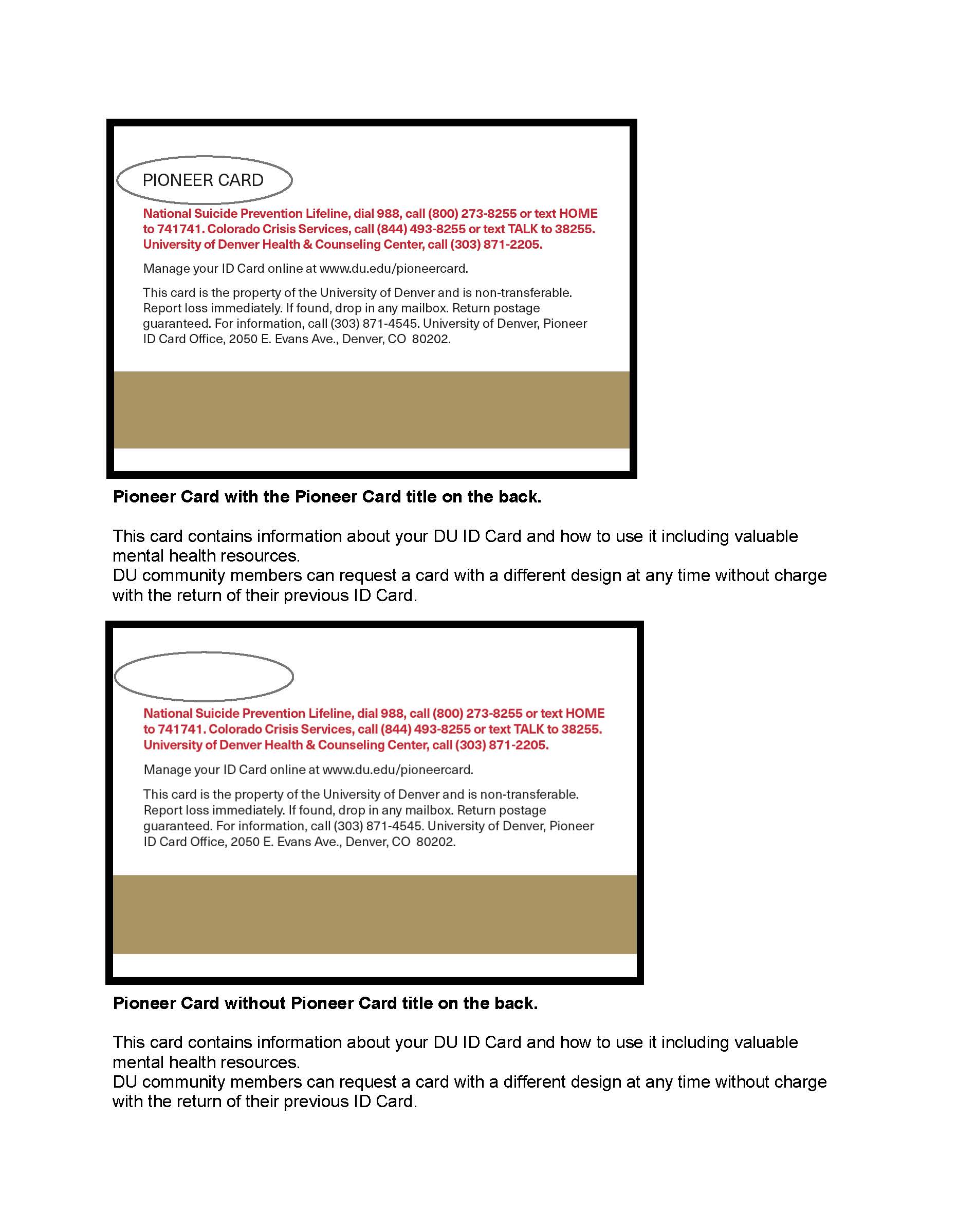
Card Reverse:
Students may select one of two card-back designs for their ID Card. Images and descriptions of the two designs can be viewed below or at this link.
Differences in design do NOT impact functionality.