







Approving a Job Offer
Please view our interactive video below or review the screenshots for the step-by-step process. For questions contact Jobs@du.edu.
Learn how to approve a job offer in Jobs@DU.
This article applies to Hiring Managers and Business Officers.
When an approver is required to approve a job offer within Jobs@DU, they will receive an email containing some of the details of the job along with a link to the job. Please note that the link provided in the email is intended for the original recipient only. If the email is forwarded to another recipient, they will be required to log in, and, if they do not have the right permissions, they will not be able to approve the job.
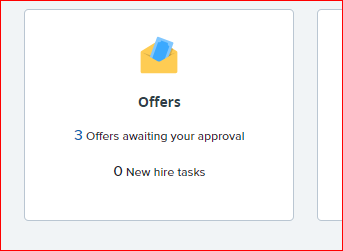
1. The approver can either approve or deny the request by clicking the email link and signing in to Jobs@DU. You can also access the offer by clicking “offers awaiting your approval” on your dashboard.
2. The approver will review the job offer details.
3. The approval request can be either approved or denied. By declining, the request will be sent back to the submitter.
If you have any questions or comments, please contact Jobs@du.edu.