







Job Offer Creation - Faculty
View our interactive video below or follow the step-by-step screenshots.
Questions? Contact Jobs@du.edu.
Learn how to create a faculty job offer within Jobs@DU.
This article applies to Hiring Managers and Business Officers.
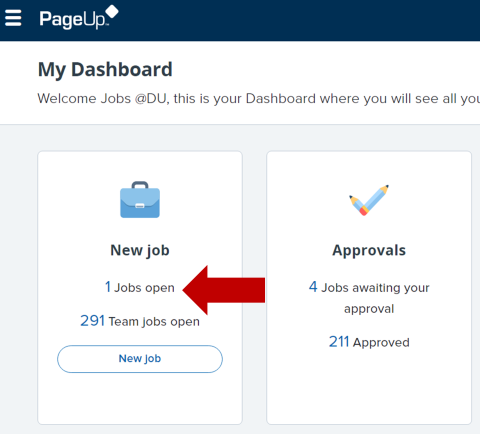
1. From the Jobs@DU homepage, click the Jobs Open link from the job card.
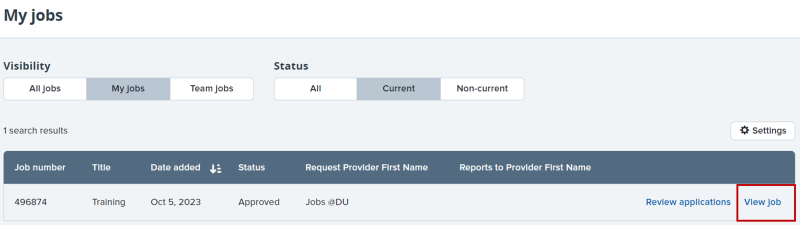
2. From the My Jobs screen, click the row containing the job you wish to view, or click the View Job link.
3. From the Job Requisition screen, click View Applications.

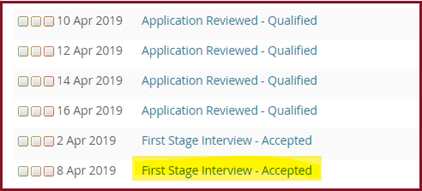
4. From the applicant list, click on the status link of the candidate you would like to extend an offer to.
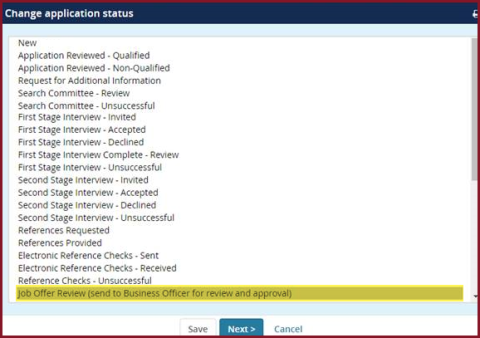
5. A new window will open. Choose Job Offer Review and then click the Next button.
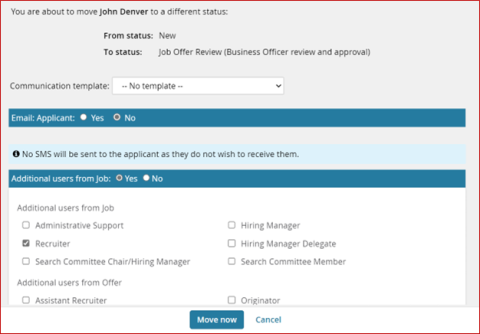
6. You will be brought to a new screen to confirm the status change. Confirm the details and click Move.
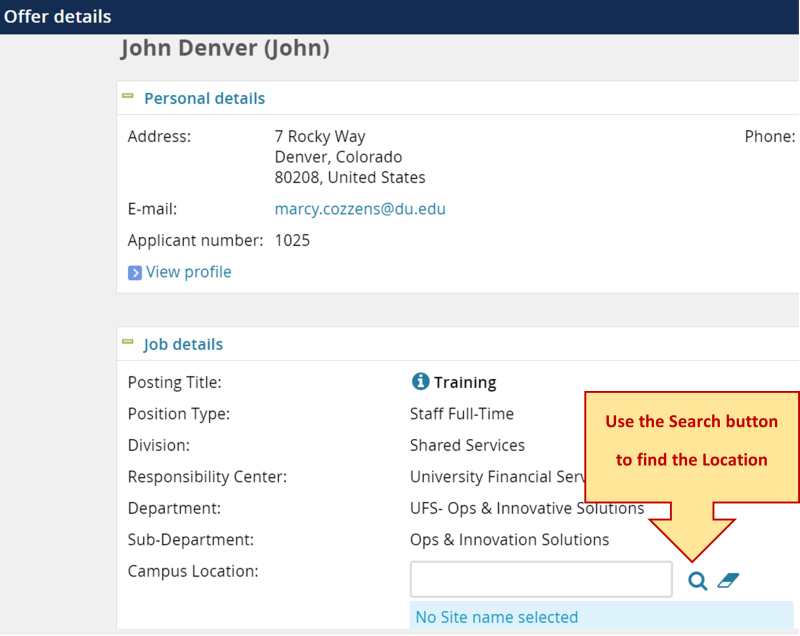
7. On the Offer Details page, use the search function to enter the job Campus Location.
8. In the Offer Card Type field, choose Yes for Faculty Offer.

9. The Hiring Manager will need to enter the information in the Offer Details section.
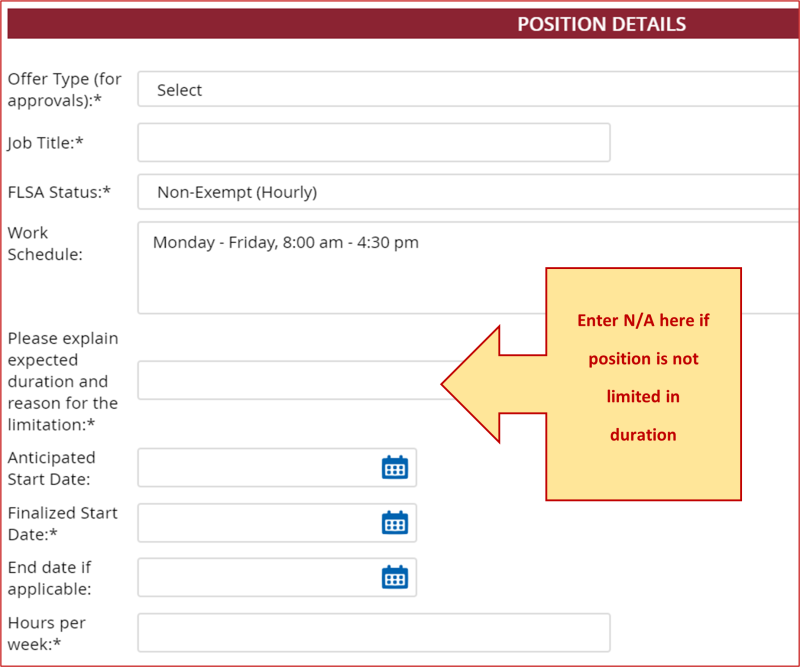
10. Enter the required information in the Posting Details section.
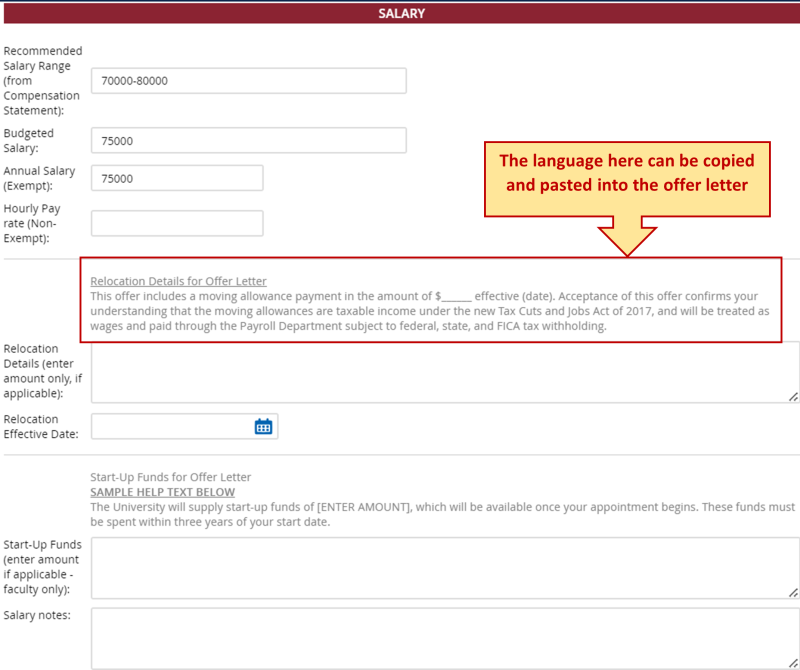
11. Enter in the salary information in the Salary section. The DU-approved language shown below can be copied and incorporated into the Faculty Offer Letter.
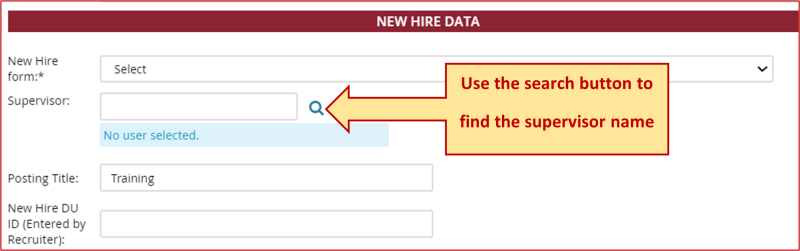
12. In the New Hire Data section, enter in the supervisor using the search function. If known, enter the candidate's DU ID number. The information in the Offer Progress section will update automatically.
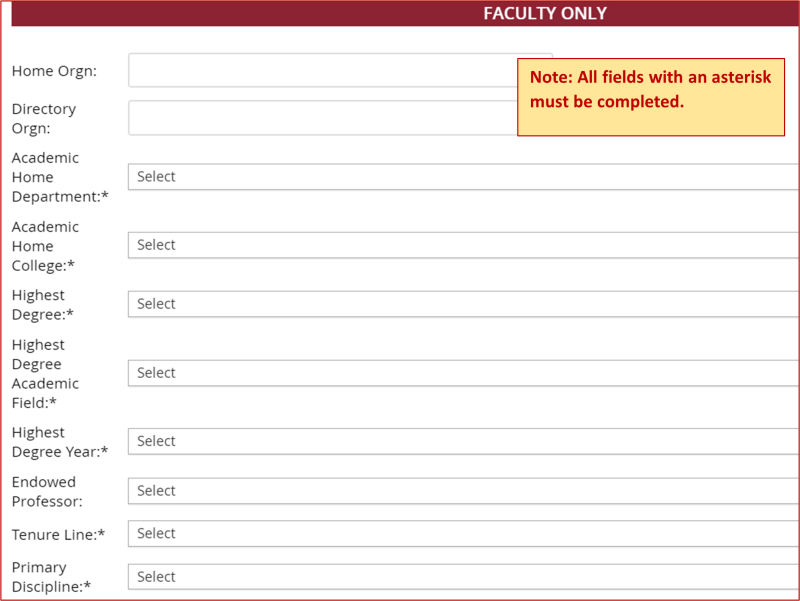
13. Complete all required fields (marked with an asterisk *) in the Faculty Only section.
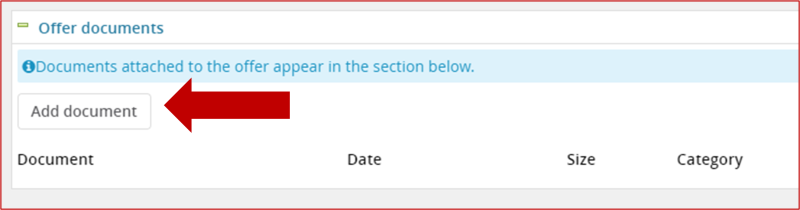
14. Upload the Faculty Offer Letter (as shown below) using Add Document in the Offer Documents section. Note: Due to the complexity and variety of Faculty jobs and positions, merge fields do not need to be used to create the offer letter.
15. In the Approval Process dropdown, select Faculty Approval. Enter in the Business Officer.
16. When finished, click Save and Close. This will initiate the approval chain.
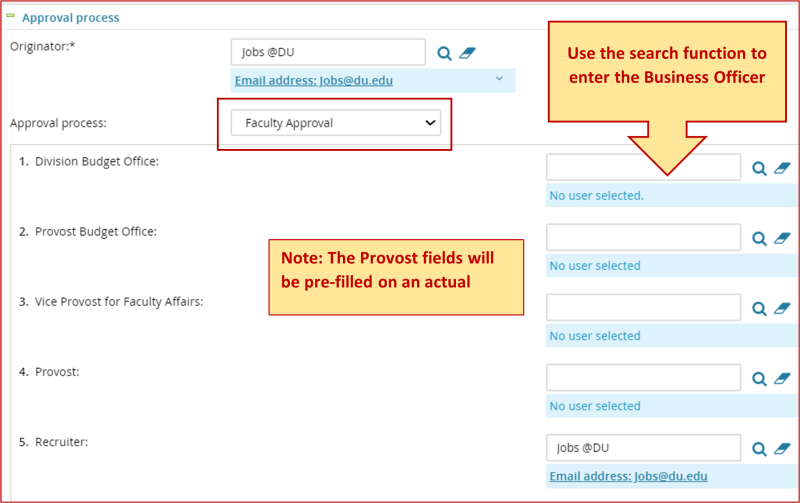
The Job Offer Details must be approved by the Business Officer and Provost’s Office before the assigned Recruiter can approve and send the offer to the candidate.
Questions? Contact Jobs@du.edu.